
Alert rule notification API allows you to set up and view details for Email notifications. You must create a JWT using the following scope to use the alert rule API. Go to Creating a JSON Web Token for more information.
Scope name |
Function |
|---|---|
alertrules:write |
|
alertrules:read |
To setup alert email notifications, use /pluggables/Notification/EmailNotification/create_api.
Endpoint URL
https://Logpoint-IP/pluggables/Notification/EmailNotification/create_api
Method
POST
Request Headers
Content-Type = multipart/form-data
Authorization = Bearer <TOKEN>
Parameters
Parameters are data sent with the API request to retrieve information. You must include them in the request body as form-data.
Field |
Type |
Description |
|---|---|---|
type |
string |
Alert rule notification type. Must be email. Optional Field. |
simple_view |
boolean |
HTML encoded view of the email message. Must be on. Optional Field. |
notify_email |
boolean |
Whether to send an email notification or not. By default, it is true. Optional Field. |
dispatch_option |
string |
Option to send notification when the alert is triggered:
|
email_emails |
array of strings |
Email address of the alert notification recipient. Mandatory Field. Example: [“johndoe@logpoint.com”, “bob@logpoint.com”] |
subject |
string |
Subject line for the email. To customize the output of your subject, use the Jinja placeholder as templates. Mandatory Field. Example: Logs from {{rows[0].col_type}} on date {{rows[0].col_ts|datetime}} |
disable_search_link |
boolean |
Whether to remove the search link in the email. If true, the search link redirects to the search page of Logpoint from which the email notification is configured. By default, it is false. Optional Field. |
logo_enable |
boolean |
Whether to include a logo in the email notification. It is false by default. Optional Field. |
threshold_value |
integer |
Number of incidents that must be triggered before sending the HTTP notification. Optional Field. |
threshold_option |
string |
Option to set the time for threshold_value. Either minute, hour, or day. Optional Field. |
email_template |
string |
The content description for the email. Mandatory Field. |
logo_type |
string |
Type of the logo: custom or default. By default, Logpoint logo is used. Optional Field. |
ids |
array of strings |
List of alert rule IDs. Get the list of ids from Listing Alert Rules. |
logo |
string |
Upload logo image to be included in the email if logo_type is custom. Optional Field. |
Request Example:
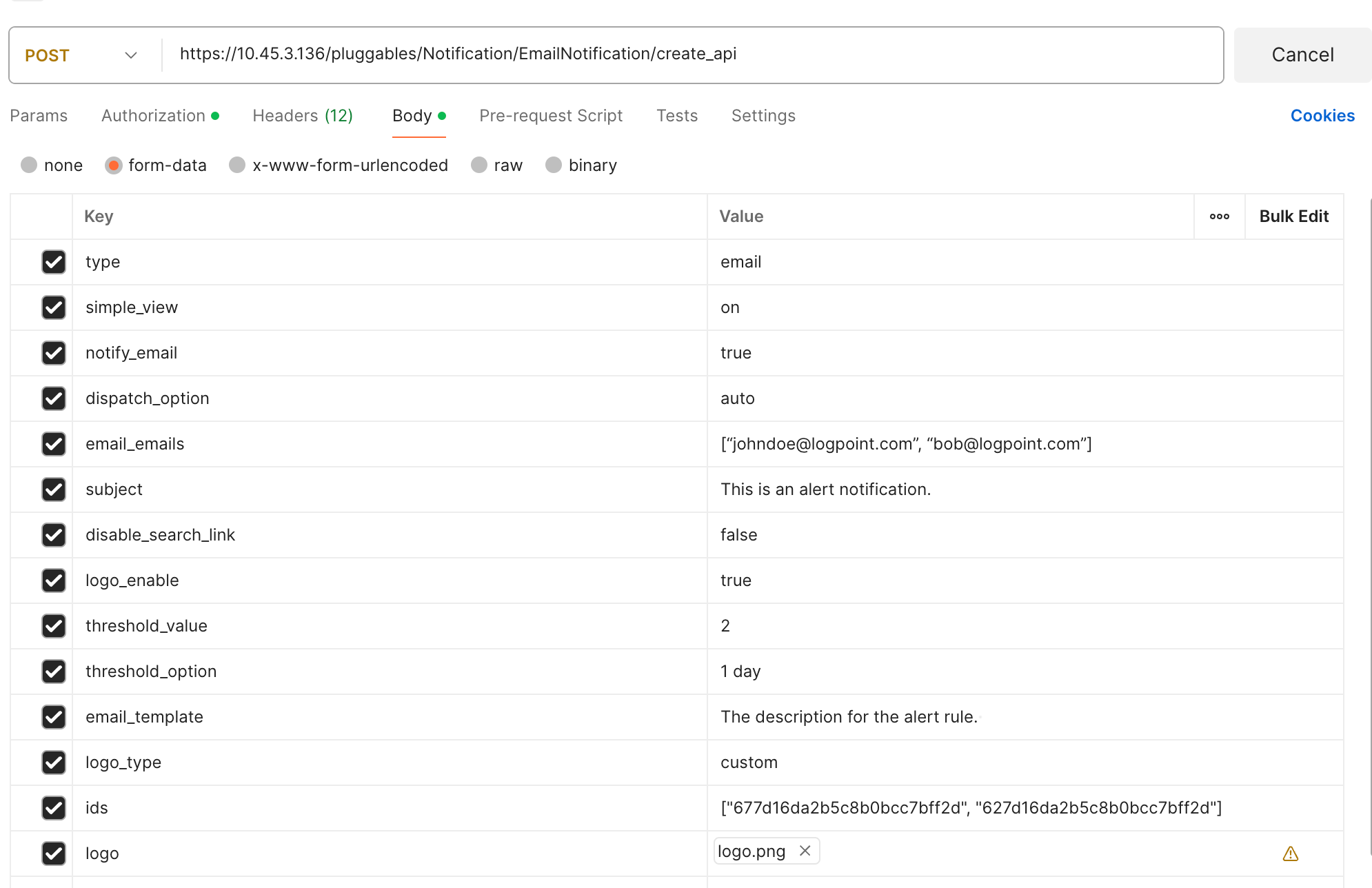
Configure Email Notification using Postman
A successful response returns an HTTP status code 200, and a validation error returns a 422 status code. For a validation error, the response body includes errors in a nested format, allowing you to identify the error field.
Success Response
{
  "success": true,
  "data": [
    "string"
  ],
  "message": "string"
}
Validation Error Response
{
  "success": false,
  "validationErrors": {
    "additionalProp1": {}
  },
  "message": "string"
}
To view an alert email notification, use /pluggables/Notification/EmailNotification/read_api.
Endpoint URL
https://Logpoint-IP/pluggables/Notification/EmailNotification/read_api
Method
GET
Request Header
Authorization = Bearer <TOKEN>
Parameters
Parameters are data sent with the API request to retrieve information. You must include them in parameters as Key and Value.
Field |
Type |
Description |
|---|---|---|
id |
string |
Id of the created Alert Rule. List of alert rule IDs. Get the list of ids from Listing Alert Rules. Mandatory Field. |
Request Example:
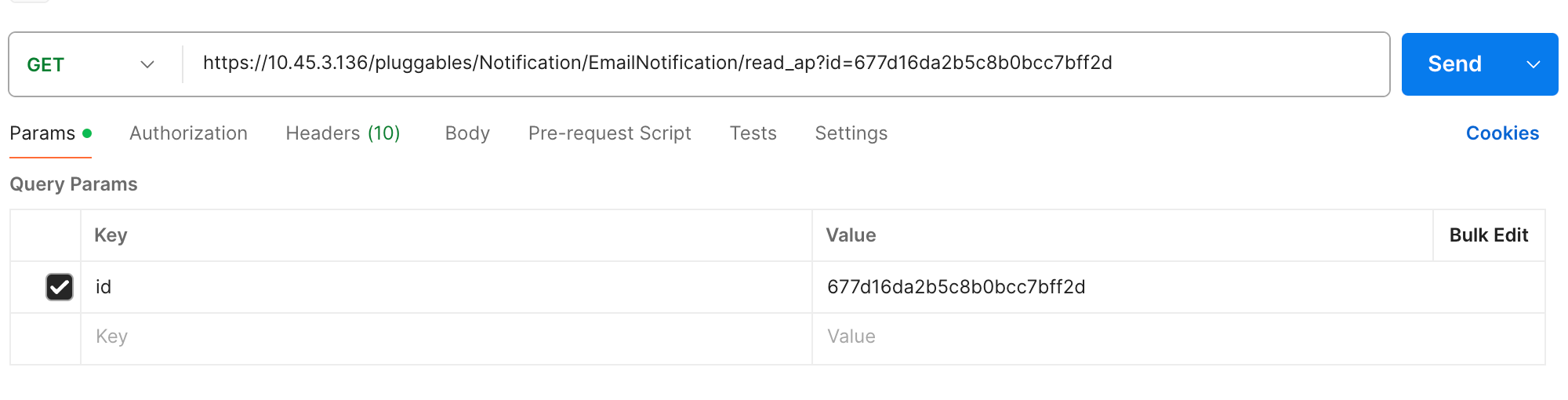
Viewing Email Notification using Postman
A successful response returns an HTTP status code 200, and a validation error returns a 422 status code. For a validation error, the response body includes errors in a nested format, allowing you to identify the error field.
Success Response
{
  "success": true,
  "data": {
    "dispatch_option": "auto",
    "email_emails": [
      "string"
    ],
    "email_template": "string",
    "threshold_option": "minute",
    "threshold_value": 0,
    "link_disable": false,
    "notify_email": true,
    "raw_emails": [
      "string"
    ],
    "simple_view": "string",
    "subject": "string",
    "template_file": "string",
    "type": "email",
    "logo_enable": false,
    "logo_type": "custom",
    "logo": "string"
  },
  "message": "string"
}
Validation Error Response
{
  "success": false,
  "validationErrors": {
    "additionalProp1": {}
  },
  "message": "string"
}